

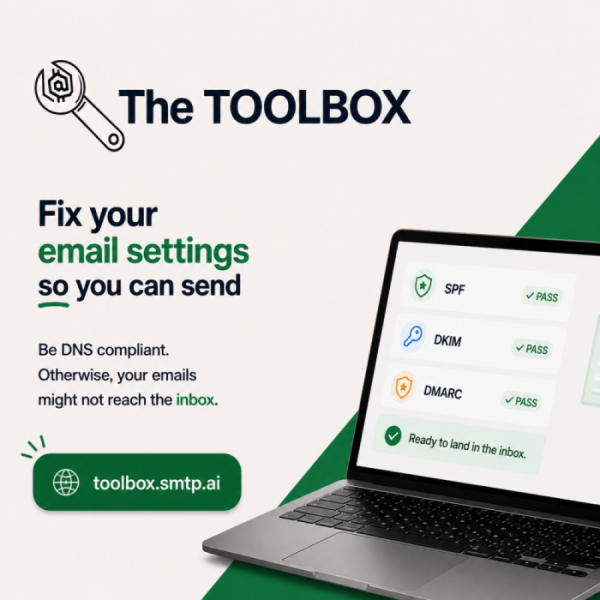
We're launching toolbox.smtp.ai, the mySMTP Deliverability Toolkit — a free, unified suite of tools built for email senders, deliverability engineers, and technical marketers who need fast, reliable answers without the tab-switching.
Every tool runs entirely in the browser. Nothing is transmitted to our servers — your email addresses, headers, and IP data stay local. No account, no cookie consent wall, no rate limits.
SPF Validator
Authentication
Sender Policy Framework (SPF) records authorise which mail servers are permitted to send on behalf of your domain. The SPF Validator fetches and fully parses your domain's SPF TXT record, recursively expanding all nested include: mechanisms to give you a flat view of every IP and hostname in scope. Critically, it counts your total DNS lookup depth — SPF enforces a hard ceiling of 10 lookups, and exceeding it produces a permerror that many receivers treat as an authentication failure. The tool flags your lookup count with a colour-coded warning, surfaces syntax errors, duplicate mechanisms, and missing qualifiers, and confirms whether your record ends in -all (hard fail), ~all (soft fail), or ?all (neutral) — helping you understand the real-world rejection behaviour attached to your policy.
DKIM Checker
AuthenticationDomainKeys Identified Mail (DKIM) lets receiving servers cryptographically verify that a message was authorised by your domain and hasn't been altered in transit. The DKIM Checker performs a live DNS lookup for any domain and selector pair, retrieves the TXT record, and parses its components: key type (RSA or Ed25519), public key length, accepted hash algorithms, service type flags, and granularity constraints. It warns when a key is under 1024 bits — a threshold that major ISPs now actively reject — and highlights invalid or malformed records in full. Use it to confirm a new DKIM selector is correctly published before your first send, or to audit existing selectors after an ESP migration where records may have silently broken.
DMARC Wizard
Authentication
DMARC (Domain-based Message Authentication, Reporting & Conformance) ties together SPF and DKIM under a single domain-level policy that tells receivers what to do with messages that fail authentication — and where to send aggregate and forensic reports. Getting the record right matters: a misconfigured DMARC policy can silently drop legitimate mail or leave your domain wide open to spoofing. The DMARC Wizard is a guided builder that walks you through every tag: policy level (p=none, quarantine, or reject), subdomain policy, alignment modes (relaxed vs strict for both SPF and DKIM), aggregate and forensic report destinations, and the percentage of mail the policy applies to. It generates the finished TXT record string and explains the real-world effect of each setting before you publish.
One-Click SPF / DKIM / DMARC Checker
AuthenticationWhen you need a fast, top-level read on a domain's authentication health — without walking through each record individually — the One-Click Checker is the right starting point. Enter a domain and a DKIM selector and the tool simultaneously queries SPF, DKIM, and DMARC, then renders a combined pass/warn/fail summary card for each protocol with a plain-English explanation of any issues found. It's designed for speed: a deliverability audit across dozens of client domains, a quick sanity check before a campaign, or an at-a-glance answer to "is this domain correctly set up?" The summary also shows alignment status — whether SPF and DKIM are aligned with the From domain under the DMARC policy — which is the actual enforcement path that matters in practice.
Warmup Plan Generator
DeliverabilitySending high volumes from a new IP or domain without warming destroys your sender reputation before you've earned it. ISPs watch for sudden spikes in volume from unknown sources and route them straight to spam — or block them entirely. The Warmup Plan Generator takes your target daily sending volume, list size, engagement rate estimate, and current domain age as inputs, then produces a day-by-day warmup schedule that ramps volume gradually while keeping complaint and bounce rates within safe thresholds. It accounts for ISP-specific patience levels, recommends the best list segments to send to first (highest-engagement subscribers), and flags when you can safely accelerate. The output is a ready-to-follow table you can drop straight into your sending calendar.
Sender Readiness Checklist
Pre-sendEven experienced senders occasionally ship a campaign with a broken DKIM record or a missing List-Unsubscribe header. The Sender Readiness Checklist is an interactive, domain-based pre-flight tool that runs through the most critical deliverability signals before you press send. It live-checks authentication setup (SPF, DKIM, DMARC, rDNS), verifies that your sending domain has no active DMARC policy conflicts, and prompts you through list hygiene status, unsubscribe mechanics, warming schedule adherence, and key content signals. Each check produces a pass/warn/fail result with a one-line explanation and a suggested fix. The checklist is designed to take under three minutes — fast enough to run before every major campaign.
Blacklist Checker
Coming SoonA single listed IP or domain can silently tank delivery to large portions of the internet. The Blacklist Checker will query your sending IP and domain simultaneously across all major DNSBLs and URIBLs — including Spamhaus, Barracuda, SORBS, SpamCop, and more — and return a consolidated results table showing your listing status on each. For any active listings, it will surface the list's removal policy and a direct link to the delisting request page. Batch checking for multiple IPs will be supported, making it practical to audit an entire sending pool in a single pass.
MailWizz Quota Optimizer
DeliverabilityMailWizz imposes hourly and daily sending quotas per delivery server, and misconfiguring these values is a common cause of either under-utilised throughput or queue overload. The MailWizz Quota Optimizer takes your list size, target campaign window, and per-server hourly limit as inputs, then calculates the optimal batch size, recommended number of delivery servers, and daily schedule to complete your campaign on time without exceeding per-server quotas. It accounts for bounce-related list shrinkage and suggests a warm-up ramp if the sending domain is new. The output is formatted directly for MailWizz's delivery server configuration fields — no mental arithmetic required.
BIMI Generator
Branding
Brand Indicators for Message Identification (BIMI) is the standard that lets inbox providers display your logo next to authenticated emails — turning your brand into visible inbox real estate. Getting the DNS record right is fiddly: BIMI requires a valid SVG Tiny PS logo at a public HTTPS URL, a DMARC policy of at least p=quarantine, and (for VMC-supporting providers like Gmail) a Verified Mark Certificate. The BIMI Generator takes your logo URL and optional VMC certificate URL, validates the SVG's accessibility, and produces the fully-formed BIMI TXT record string — ready to publish at default._bimi.yourdomain.com. It also previews the logo at inbox-avatar size so you can catch any rendering issues before going live.
BIMI SVG Converter
BrandingBIMI doesn't accept just any SVG — it requires the SVG Tiny PS (Portable/Secure) profile, a strict subset of the SVG specification that many design tools don't export by default. Standard SVGs exported from Figma, Illustrator, or similar tools often include features (raster images, filters, scripts, external references) that BIMI validators reject outright. The BIMI SVG Converter takes your existing SVG file, strips non-compliant elements, and rewrites the file to conform to the SVG Tiny PS profile. It shows a side-by-side before/after preview so you can confirm the visual output is unchanged, and flags any elements that couldn't be automatically converted and need manual attention in your design tool.
MX Lookup
DNSBefore sending to a new domain or troubleshooting inbound mail problems, you need to know which servers are responsible for receiving messages. The MX Lookup tool queries the MX records for any domain and returns each mail exchanger hostname alongside its priority value — lower numbers indicate higher priority. It also resolves each MX hostname to its A and AAAA records so you can see the actual server IPs behind each exchanger. Useful for confirming a customer has correctly migrated to a new mail provider, verifying inbound routing after a DNS change, identifying misconfigured catch-all setups, or simply checking whether a domain has mail infrastructure before attempting delivery.
PTR / rDNS Checker
ReputationReverse DNS (PTR records) map an IP address back to a hostname. Many large receiving MTAs — including Gmail and Outlook — check that your sending IP has a valid PTR record, and that the PTR resolves forward to the same IP (known as forward-confirmed rDNS, or FCrDNS). A missing or mismatched PTR is one of the most common, yet easiest-to-fix, causes of rejection at enterprise mail gateways. The PTR Checker takes an IP address, performs the reverse lookup, then performs a second forward lookup on the returned hostname to confirm the round-trip match. It clearly reports pass, mismatch, or missing — no ambiguity about whether your IP is correctly configured before warming.
Bounce Code Decoder
Coming Soon
SMTP bounce codes are terse, often ambiguous, and vary in meaning between receiving servers. The Bounce Code Decoder will accept a raw bounce message or SMTP response code — such as 550 5.1.1, 421 4.7.28, or a full DSN — and return a plain-English explanation of what it means, which category it falls into (hard bounce, soft bounce, policy rejection, rate limit, spam block), what the likely cause is, and what corrective action to take. It will cover standard RFC codes as well as provider-specific responses from Gmail, Outlook, Yahoo, and major filtering platforms.
Email Header Analyzer
Coming SoonEmail headers contain the full delivery history of a message, but reading them raw is painful. The Header Analyzer will accept a paste of complete email headers — obtained via "View Source" or your mail client's header view — and render a structured, human-readable breakdown. Each SMTP relay hop will be shown with its timestamp and calculated inter-hop delay; SPF, DKIM, and DMARC authentication results will appear in a colour-coded summary; and X-Spam scores, Message-ID, List-Unsubscribe, and Return-Path will be extracted and highlighted. Total delivery time is calculated end-to-end. Authentication failures and unusual routing patterns will be flagged automatically.
What Is My IP
UtilitiesA deceptively simple but frequently needed tool. What Is My IP instantly displays your current public-facing IPv4 and IPv6 addresses — along with their PTR record, ASN, and approximate geolocation. This is particularly useful when you're connected through a VPN, SSH tunnel, or cloud server and need to quickly confirm which IP you're actually egressing from before running other checks. It's also essential for verifying that a server's outbound IP matches the IP you've authorised in your SPF record and submitted for IP warming — catching mismatches before they cause authentication failures in production.
CNAME Lookup
DNSMany email-related domains — custom tracking links, branded sending domains, DKIM-via-CNAME setups, and custom bounce addresses — rely on CNAME chains that redirect one hostname to another. The CNAME Lookup tool traces the full alias chain for any hostname, step by step, down to the final A record target. It shows every hop in the chain with its TTL value, making it straightforward to spot broken links (a CNAME pointing to a non-existent target), unexpected redirections, or chains that terminate at the wrong endpoint. Particularly useful after onboarding with a new ESP that requires CNAME-based domain verification — confirm the chain resolves correctly before you start sending.
Email List Analyzer
List HygieneList quality is one of the highest-leverage deliverability factors, yet it's often overlooked until bounces start accumulating. The Email List Analyzer accepts a CSV upload or pasted address list and returns a detailed hygiene report processed entirely client-side — no data leaves your machine. It detects syntax errors that will hard-bounce immediately, duplicate entries, role addresses (postmaster@, abuse@, info@, no-reply@) that should never receive marketing mail, addresses from known disposable or temporary email domain providers, and common honeypot domain patterns used by spam traps. A hygiene score summarises overall list health alongside a per-category breakdown, so you know exactly what to trim before importing into your sending platform.
Email Template Verifier
Coming SoonA poorly coded HTML email can render broken in some clients, trigger spam filters in others, and fail deliverability checks entirely. The Email Template Verifier will accept an HTML template and run it through a suite of checks: valid unsubscribe link presence, text-to-image ratio, spam trigger word detection, broken link scanning, missing alt text on images, inline CSS compliance for major email clients, and overall HTML structure validity. It will produce an actionable report with a deliverability score and a prioritised list of issues to fix before sending — covering both rendering safety and spam filter risk.
Password Generator
Security
SMTP credentials and transactional API keys protect your sending infrastructure — weak passwords are a direct path to account takeover and reputation abuse from unauthorised senders. The Password Generator produces cryptographically random passwords using the browser's native crypto.getRandomValues() API, meaning nothing is sent to a server at any point. Configurable options include length (8–128 characters), character sets (uppercase, lowercase, digits, symbols), and exclusion of visually ambiguous characters (l, 1, O, 0) for credentials that may need to be transcribed. Generate multiple passwords in a single click and copy to clipboard with one action.
The Toolkit launches at v1.1 with 14 live tools and 5 more in active development. The coming-soon tools — Blacklist Checker, Bounce Code Decoder, Email Header Analyzer, and Email Template Verifier — are already in build and will ship in the weeks ahead.
If there's a tool you'd like to see added, reach out through the mySMTP support channel. Every tool in the current suite started as a request from someone who was tired of juggling browser tabs.
The Toolkit is free. It will stay free. Great deliverability shouldn't require a subscription.
Open the mySMTP Deliverability Toolkit
19 browser-based tools for DNS diagnostics, authentication, deliverability, and everything in between.
Launch the Toolkit